First stage is free
Audit, homepage sketch or prototype. No contract and no prepayment.
On WordPress
We transfer the site from the Wix website builder to WordPress: pages, texts, photos and a place in Google.
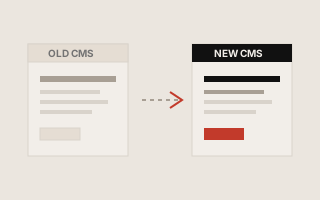
01 / Result
What you get after transferring from Wix
New site on WordPress. Old links take you where you need to go.
Let's transfer
Guarantees
Why us
First stage is free. Contract and payment only if it fits.
First stage is free
Audit, homepage sketch or prototype. No contract and no prepayment.
Contract
We sign only after the free stage, if it works for you.
NDA
We can sign an NDA if needed.
Stage-based payment
Payment after demo of the completed stage.
Post-launch warranty
30 days of bug fixes for delivered features at no extra cost.
Your access
The site, hosting and access remain yours.
02 / Process
How to transfer from Wix
The old Wix site is live until the new one is ready.
Let's see your site
What to migrate from Wix, the risks for Google and the price.
We collect on WordPress
Content, structure and required connections.
We save the link
Old addresses lead to new ones. Customers and Google find the right pages.
Launch
Verification, domain connection, 30 days of fixes.
03 / Start
Landmarks. We will tell you the exact amount after a brief review of your site.
A small site
free
Business card or landing page from Wix.
Corporate
free
More pages and convenient admin.
Full-service
free
Design and non-standard blocks.
05 / Examples
Similar transfers
Examples of store migrations. The approach is the same: save content and place in Google.
Migration from Tilda to WordPress
Easier content management without block limits.
Migration from ShopExpress to OpenCart
Your own store with catalog, payments, and modules.
Migration from Prom.ua to OpenCart
An online store built from your Prom.ua catalog.
Migration from Joomla to WordPress
Simpler for the team: content, SEO, and updates.
Migration from Horoshop to OpenCart
Your hosting, modules, and full control of the store.
Not sure where to start?
Write the address of the site on Joomla. Let's say whether it is worth transferring and approximately how much it will cost.
07 / Questions
Frequently asked questions about Joomla
WordPress is suitable for pages and applications. OpenCart is suitable for a catalog store. We will suggest an option after the inspection.
Yes, we save important addresses or set transitions to new ones.
We often transfer content and update the look where it is necessary for the result.
After the transfer, the old site can be disabled. Less risk due to outdated modules.
08 / Contacts
Contacts
Tell us about the task. We will reply within one business day.